Install Hailian VPN on APK-compatible Huawei HarmonyOS
This guide is for Huawei systems that can install Android APK files, including applicable HarmonyOS 4 releases. Check your exact device and system before downloading. Native HarmonyOS NEXT is a different platform; this APK is not a native HarmonyOS app.
The screenshots show a Chinese-language Huawei interface and an example package. Use the current file and size shown on the official download page.
1. Open the official download page
Use a normal phone browser, such as the system browser, Quark or Chrome, to open the download page. Select the Android package.
 1. Download page → Android
2. Confirm the download
Check the filename beginning with HailianVPN-v and ending in .apk. Choose the normal download option in the browser. The version and package size in the screenshot are examples.
 2. Confirm the official package download
3. Open the downloaded file
Open Downloads in the browser and select the completed Hailian APK.
 3. Select the completed installer
4. Choose the app installer
If the system asks which application should open the file, choose App installer.
 4. Choose App installer
5. Review the security notice
Huawei may report that an app obtained outside AppGallery has not been checked. Verify that the file came from the official Hailian download link, and read the exact warning before deciding whether to proceed. Do not treat an explicit malware detection as a routine source notice.
 5. Review the source and the security notice
6. Open the installed application
When installation succeeds, choose Open.
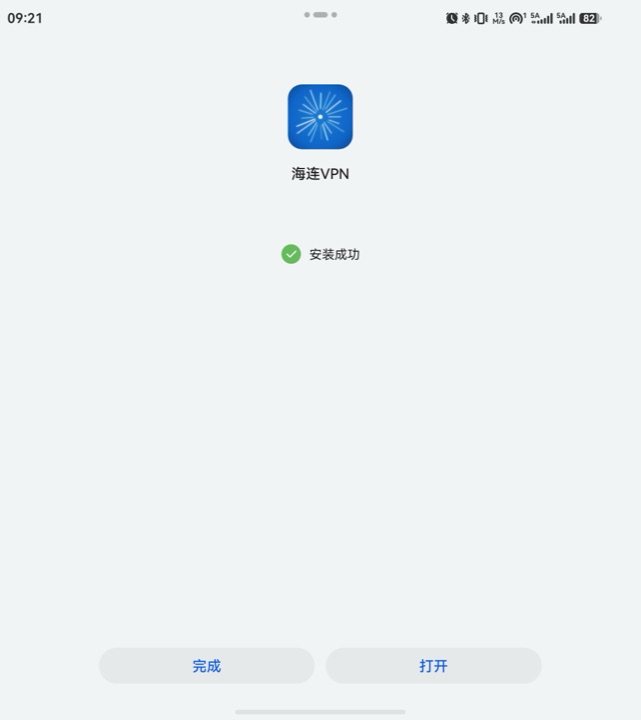 6. Installation complete → Open
Start using the app
Register or sign in, choose a location and press Connect. Check the app name on the system VPN connection request before approving it.
If you cannot find the file, check the browser's Downloads manager or the Downloads folder in the file manager. If the system cannot install APKs, tell support your model and HarmonyOS version. For connection problems, start with connection failure help.