Hailian VPN launch announcement
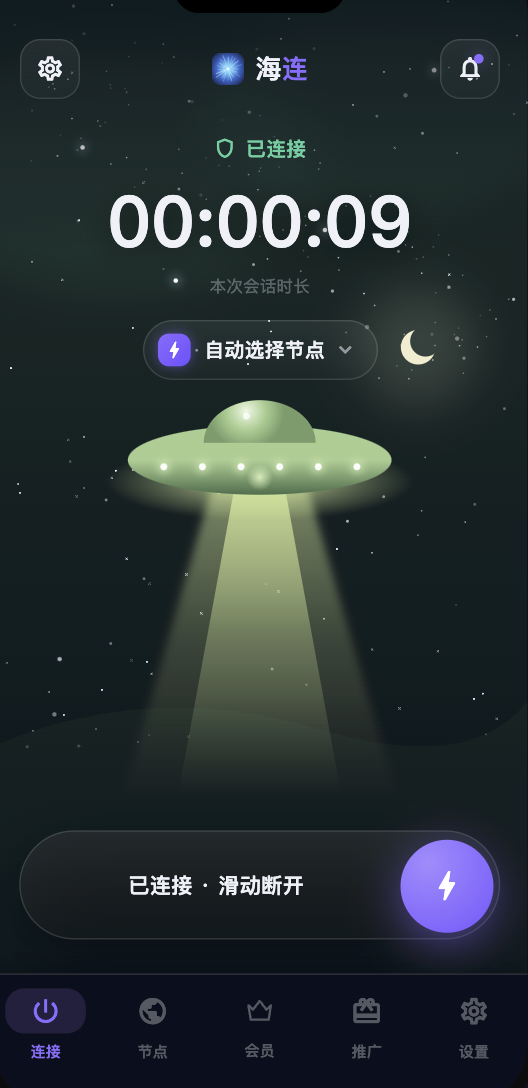
Hailian VPN launched in June 2026 to make connecting simpler: download an app, sign in and connect without maintaining a server or copying subscription configurations. This is the English version of the original launch announcement. Prices, promotions, supported platforms and available locations can change; check the current website and account before purchasing.
What the service was built for
The starting point was everyday use: reading international websites, communicating with colleagues, learning and using online tools when the local network makes access difficult. The client brings account management and route selection into one place. A VPN connection does not guarantee that every destination will accept the exit address, and it cannot repair a suspended third-party account.
One account across supported devices
The original announcement described Windows, macOS and Android apps, with additional platforms developed separately. Use the current downloads page for the platforms and installation methods available now. Device allowances and simultaneous connections follow the plan shown in your account. Sharing or reselling a personal account is different from using it on your own devices.
Routing and connection options
Smart routing is intended to keep appropriate local services on the direct connection while sending selected traffic through the VPN. Global mode uses the VPN more broadly where the platform and account support it. Direct traffic in a split-routing configuration is outside the VPN tunnel.
The app offers routes in several regions. A location name is a useful starting point, but performance also depends on your ISP, time of day, device and destination. Test the websites you actually need during an available trial instead of relying on a headline speed.
Plans and launch benefits
The launch described personal subscription plans, trial access and promotional rewards. Those are dated offers, rather than a promise that the same benefit remains available forever. The pricing page and account display are the places to confirm current prices, expiry dates and eligibility.
If you have an invitation code, enter it through the supported registration flow. Referral rewards and affiliate commissions are separate programmes with separate conditions.
Getting started
- Open the official downloads page and choose your operating system.
- Check the installer source and publisher, then install the app.
- Register or sign in with your own account.
- Allow the operating system's VPN permission when requested.
- Connect and test a trusted HTTPS website, followed by the service you need.
The first connection guide covers the initial setup. If the app connects but websites fail, follow the layered connection checks before changing multiple settings at once.
Limits and support
No connection service can promise uninterrupted access in every country or automatic streaming access. Network restrictions, destination policies and platform compatibility can change. Check the original English Terms of Service and Privacy Policy, and contact official support with your device, app version, approximate failure time and error message. Never include passwords, verification codes or recovery codes.